
Utah County Court Calendars Explained
The Utah Courts calendar is the front door. It covers scheduled District Court and Justice Court activity. Attorney resources describe a rolling two-week calendar updated daily. It reaches the Fourth District Court and participating Justice Courts, though every search still needs the correct Utah County location. Provo and Spanish Fork are the current Fourth District sites in the county. Municipal and county Justice Court settings stay tied to their own filing courts.
Each tool answers a different question. A calendar result tells you what is set. Utah Courts Xchange shows which events have been entered in the case history. The clerk and the court record process handle paper inspection, copies, and certification. Overlap exists. The tools are not interchangeable, so use the calendar for a future hearing. Turn to the case history for earlier filings or outcomes.
The official statewide calendar landing page marks the starting point for Utah County users.
Check the live controls when you actually search, since dynamic fields and available dates shift.
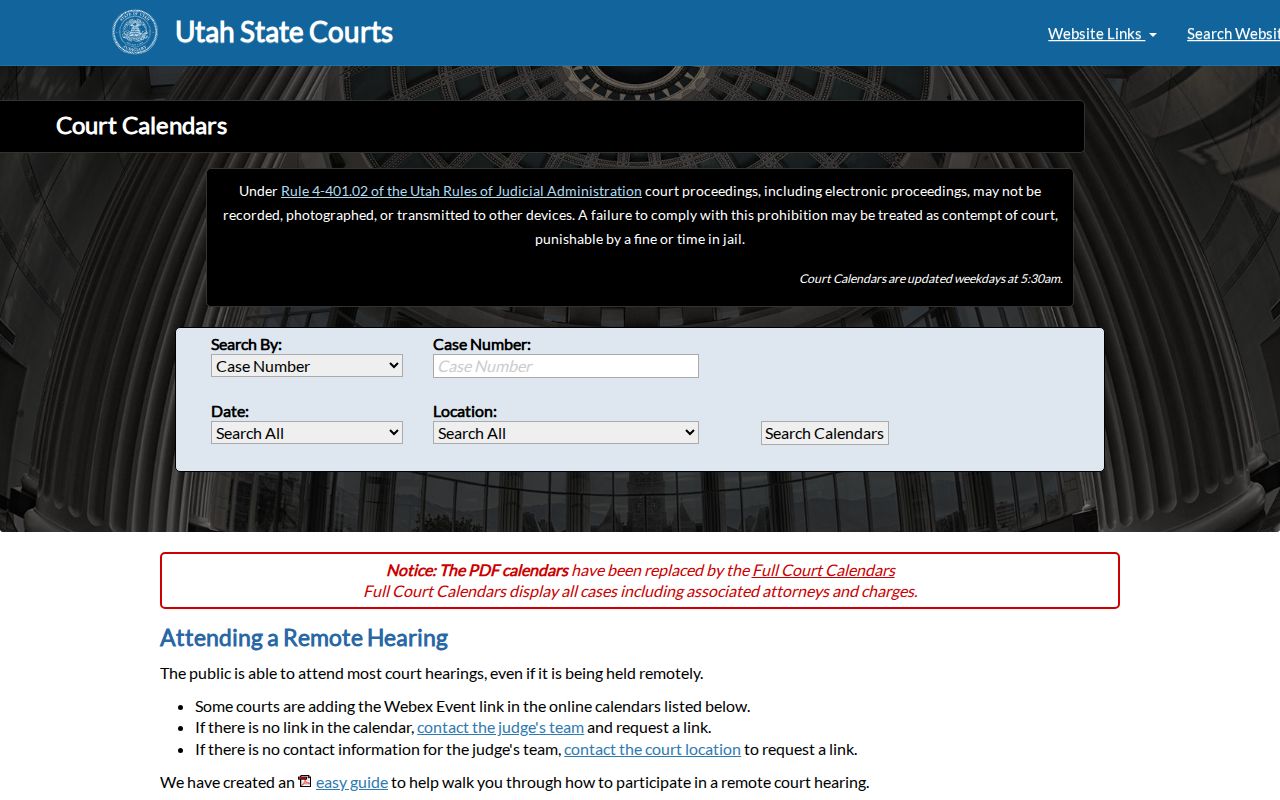
Check the live controls when you search. Fields and available dates can change without notice.
Utah County Two-Week Search
Search keys include case number, party name, judge, attorney, date range, and court location. The case number works best. Names trip on spelling errors. Judge or location filters help thin out crowded calendars. For counsel searches, attorney guidance identifies first name, last name, and bar-number fields.
| Calendar field | Use for Utah County court dates |
|---|---|
| Case number | Find an exact case when the number is known |
| Party name | Locate a setting by caption; spelling matters |
| Judge | Narrow a judge's calendar or session list |
| Attorney | Search by counsel name or bar information |
| Date range | Limit results within the posted calendar window |
| Court location | Separate District, county Justice, and municipal settings |
The legacy calendar report controls provide another official calendar interface.
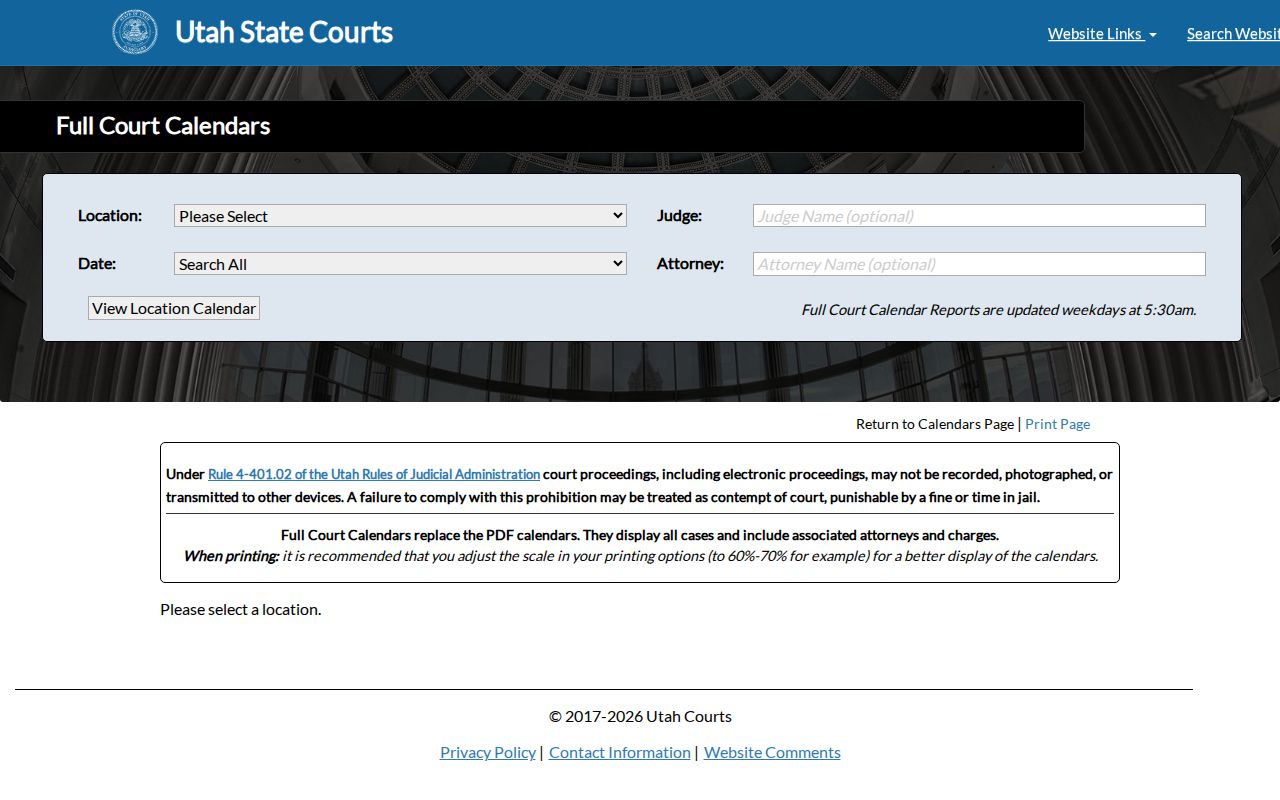
That report view proves the point. A court location and date range matter as much as a name.
Finding Your Court Date
Match each source to the filing court. Never infer a new date from an old notice or a prior case event.
- Search the statewide calendar by case number. If it is unknown, use the party name and narrow to Utah County and the likely court.
- For a Utah County Justice Court matter, check the Search for sessions page and its judge session areas.
- Review Utah Courts Xchange for the entered case history, but treat it as an event record rather than a live calendar.
- Call the clerk for the named filing court when the date is absent, conflicting, or close at hand.
- Bring the notice or case number to the clerk's public counter if phone and online routes do not resolve the setting.
Printed and online calendar routes come down to the statewide calendar and the local session page. Orem, Provo, and Lehi add their own remote-hearing instructions. The court named on your citation or notice controls.
Utah County Justice Sessions
Separate session areas cover Judge Randy B. Birch. Judge K. Shawn Patten has an area too. Both sit at the Utah County Justice Court. The page may show a "No Court Session Today" status. Session search controls, Webex links, and routes to MyCase and Xchange also appear. The tool is handy for county Justice Court matters. It does not replace municipal court pages or Fourth District calendars.
Hearing readiness has its own rules. Before most county Justice Court hearings, each case needs a rights and enhancement notification. Small claims are excluded. A declaration of financial status is required for appointed counsel, and rights videos come in English and Spanish. None of these steps decides whether a case shows up in the statewide case-history system.
Note: Use the court name on the case notice before choosing a local session page or remote-hearing link.
How to Read a Court Setting
Read a Utah County calendar entry one field at a time. A posted event can carry a case number, caption, hearing type, date, time, and court. Judge, courtroom, remote indicator, and status may also appear. The hearing type names the task the court plans to take up. It says nothing about the outcome by itself.
| Date and time | The current scheduled start, subject to later court action |
|---|---|
| Court location | The filing court and site, such as a District or Justice Court |
| Judge | The judicial officer assigned to the setting or session |
| Courtroom or remote link | Where and how to appear, when the court publishes it |
| Setting type | The purpose, such as arraignment, pretrial, motion, trial, or review |
| Status | Whether the event remains scheduled, was continued, reset, vacated, or held |
Set the entry beside the filed notice and recent case history. If the sources clash, call the clerk instead of trusting the newest-looking date.
Utah County Setting Terms
Calendar words name procedural steps, not findings on any claim or charge.
- Setting
- A date and time reserved for a court event.
- Continued
- The event was postponed to a later setting.
- Reset
- The calendar now carries a new date or time.
- Vacated
- The listed setting was removed; it does not alone mean the case ended.
- Disposition
- An outcome entered for a charge, claim, or case.
- Minute entry
- A court record of what occurred, distinct from the advance calendar listing.
"Scheduled" is not the same as held, continued, or disposed. When a result has no status, hunt for the later case event or ask the Utah County clerk.
Continuances, Resets, and Cancellations
A continuance moves a hearing, and a reset places it on another date or time. A vacated or canceled setting drops that event from the calendar. None of these entries necessarily dismisses the case. Calendar data and Xchange history depend on entry by court staff. Search again after the court acts.
When a date changes, write down the new date, time, court, judge, and appearance mode. Then compare them with the latest notice. A morning update can shift the visible calendar. Old screenshots or saved pages should never be your only source. The current official calendar and clerk control.
For a deeper chronology, use the Utah County case lookup. Read events after the old setting. Even a case-history event cannot override a direct order or new notice from the court.
Utah County Video Hearings
Remote-hearing rules differ by court. The Utah County Justice Court asks participants to join Webex about 15 minutes early. Stay in listen-only mode until called. Recording, photography, and device use are barred without written approval from the judge. Orem says most of its hearings run by video teleconference. The city posts its own calendar and MyCase routes. Provo publishes separate court-contact and hearing options.
Use the local instruction: A statewide calendar can identify the event, but the filing court's own notice controls the link, check-in steps, and appearance mode.
Never reuse a link pulled from a different case or a different Justice Court. Check that you have the right Utah County or municipal court first, then follow the rules it currently posts for its video hearings.
If You Miss a Court Setting
Call the clerk of the filing court right away. Have the case number, party name, missed date, and court location ready. Ask the clerk to check the case history and current calendar, and ask whether a new notice, warrant, default, or other order was entered. Staff can explain the record and the accepted process for fixing it. They cannot give legal advice or erase a court action.
Do not wait for the calendar to fix itself. A missed criminal or traffic setting can have urgent consequences, while a missed civil setting may lead to an order or default.
Look at MyCase if you are connected to the case, Xchange for entered events, and the latest court calendar. Need a copy of an order or minute entry? Request it from the clerk. A blank current calendar never means the matter was dismissed.
Confirm Utah County Court Dates
Which clerk you need depends on court level and location. Fourth District clerical divisions keep the District Court cases. The Utah County Justice Court keeps its own docket. So does each municipal Justice Court. Juvenile Court has a separate clerk, and its case information is generally nonpublic. The Utah County Clerk/Recorder does not keep these court calendars.
Use the official Utah County court directory for the current court phone and location. Court sites change. The American Fork District Court closed at the end of 2024. Provo and Spanish Fork remain current Fourth District locations. Confirm the directory before you travel or mail anything.
Note: A clerk confirmation is the safest final check when a Utah County court date is near or sources disagree.