
Searching the Eagle Mountain Court Docket
Utah Courts Xchange is the paid system the public uses for both District and Justice Court case information. Before you touch it, read the citation or notice. The court named there decides your route. A Utah County Justice Court filing means you select Justice Court first. Then narrow to Utah County and the right court location. Felonies, Class A charges, major civil suits, domestic cases, and probate matters belong to Fourth District Court scope instead.
Have the case or citation number, the filed name, a probable case type, and a date range ready. Case numbers are not unique statewide. Filtering by court and county keeps you from matching the wrong file. Free public terminals sit in most District Court buildings. The clerk can pull an unclear public record for you.
- Read the court name on the citation or notice.
- Choose District Court or Justice Court in Xchange.
- Narrow to Utah County and the named location.
- Match case type, date, role, and number.
- Confirm the current setting with that clerk.
Guest sessions run on a clock. Every search gets billed, so narrow your terms before you submit. The posted prices are $0.35 per search and $1 for an available image. Confirm current rates before relying on either number. Paying for access does not change which Eagle Mountain records are public or which clerk certifies them.
No Listed Eagle Mountain Justice Court
The current Utah Courts directory lists no Eagle Mountain Justice Court. Inventing a city judge, clerk, building, phone number, or portal would be a mistake. Judicial Council minutes from 2020 say Utah County Justice Court covered Eagle Mountain cases. Those minutes predate the current directory and prove nothing permanent about routing.
Trust the newest official source. A citation names its filing court, and the directory confirms that court's contact details. If both point to Utah County Justice Court, reach its clerk at 151 S University Avenue, Suite 3300, Provo. Call (801) 851-7200 or email jcutahco@utcourts.gov. Confirm the route for your specific case.
Eagle Mountain Municipal Court
No current official listing shows a court by this name. Treat this section as a routing warning, not a courthouse profile. Eagle Mountain counted 43,623 residents in the 2020 Census. It sits fourth on a same-vintage city list, yet population and city limits do not create a Justice Court.
An Eagle Mountain label may simply mark where an event happened. It may just say where a party lives. It does not name the docket keeper. Depending on type and formal filing, the route splits. The case may belong to Utah County Justice Court or Fourth District Court. Read the court and location on the header before you call any counter.
Eagle Mountain Docket Directory Check
Start with the filtered Utah County court directory, which shows current court names and contacts for the county. Old minutes make useful history. A newer directory should win when the two disagree. Checking source dates this way keeps an Eagle Mountain reader from chasing a stale city office or an outdated boundary.
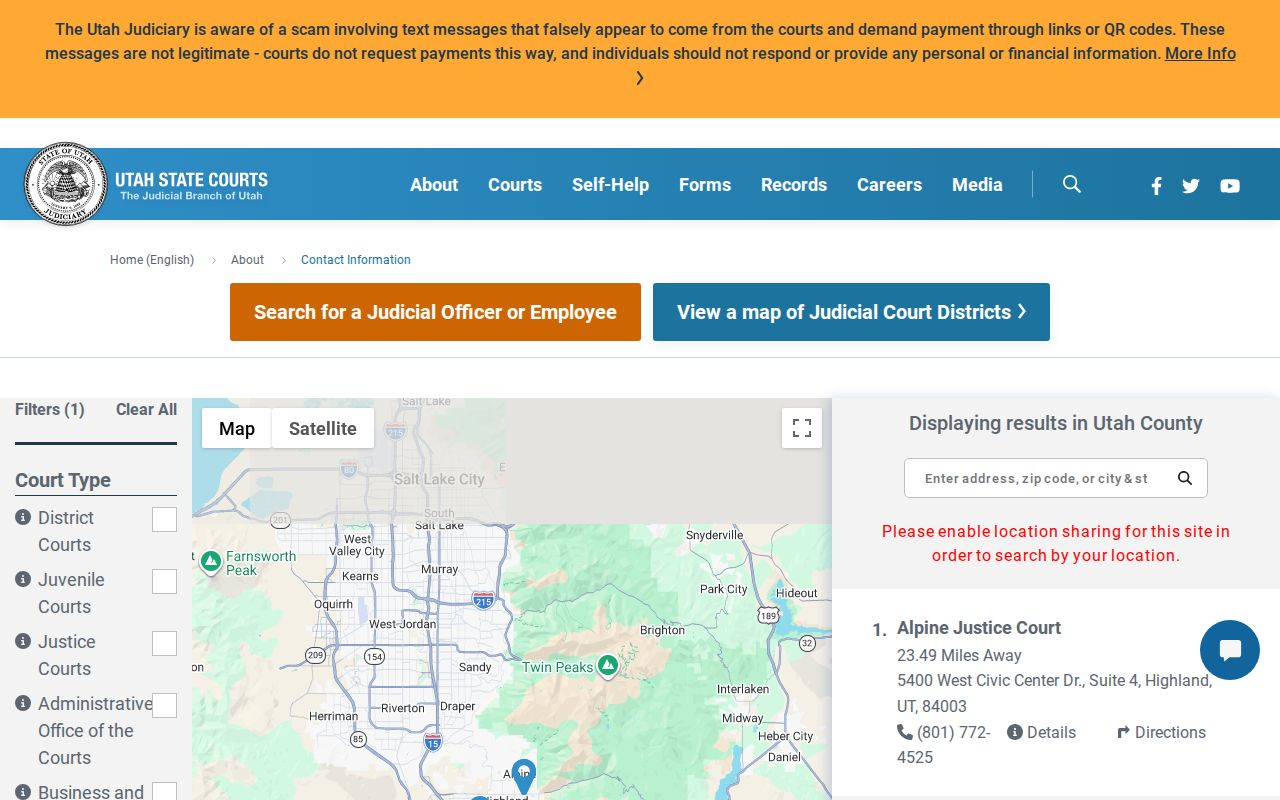
Call the contact listed for the court shown on the record. Then ask that clerk directly whether the Eagle Mountain matter sits in the system.
Eagle Mountain Court Dates and Settings
An event in the case history is not the same thing as today's calendar. Utah calendars show scheduled activity, while Xchange carries the longer event sequence. A setting can be scheduled, continued, reset, vacated, held, or disposed. An old date on an Eagle Mountain record is not today's schedule. Check the calendar or local session page. Then call the filing court.
| Date | The latest date shown by the official calendar or clerk. |
|---|---|
| Time | The start time and remote arrival instructions, if supplied. |
| Location | The filing court, courtroom, or approved remote setting. |
| Judge | The judge listed for that session, not a presumed city judge. |
| Setting Type | Arraignment, pretrial, trial, review, or another named event. |
Utah County Justice Court's page posts session searches for Judges Randy B. Birch and K. Shawn Patten. Non-small-claims hearings require a rights and enhancement notification first. Remote participants are told to join roughly 15 minutes early.
Eagle Mountain County Session Docket
When Utah County Justice Court holds the filing, its official hearing page beats any broad city search. It links out to session search, Webex, MyCase, and Xchange. MyCase serves a connected party; Xchange is the general-public case-history route.
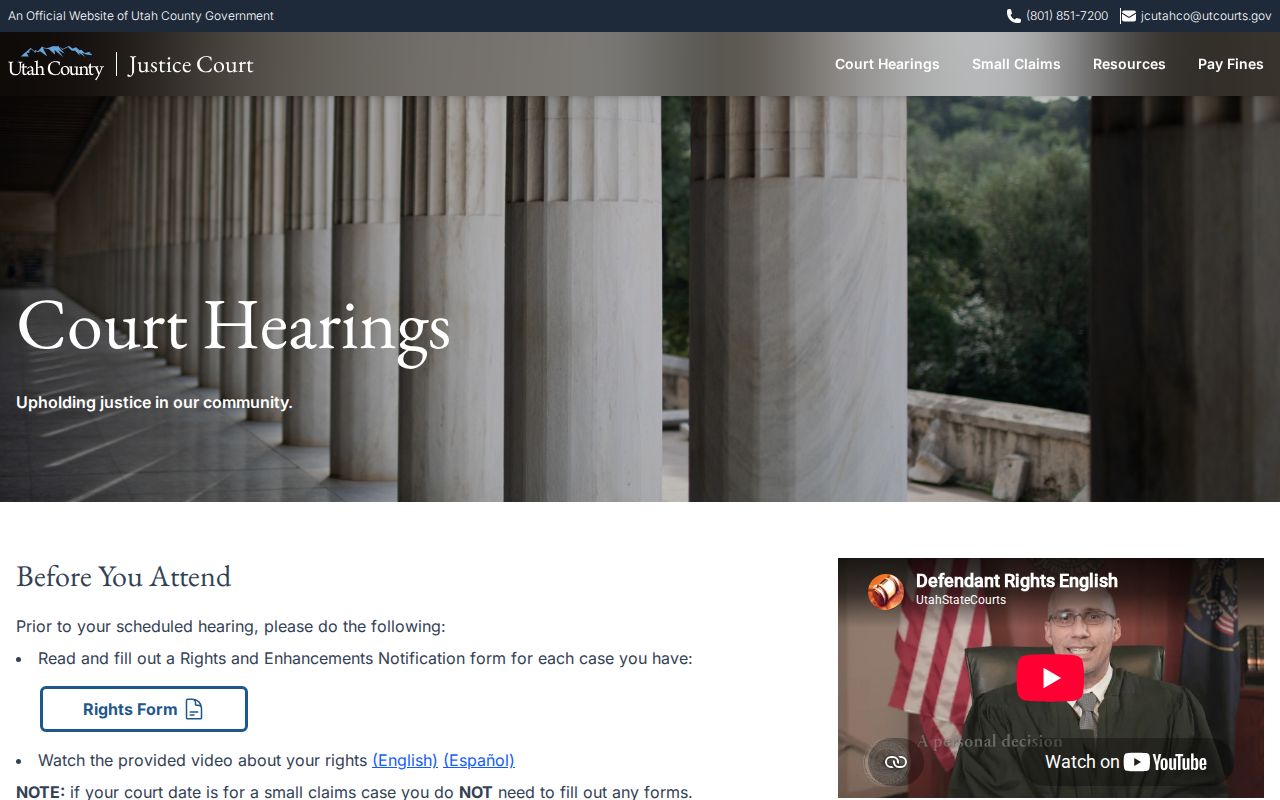
The page also bars recording or photography without written judicial approval. Remember that one session is a single court event, while the docket holds the broader filing history.
Eagle Mountain Traffic Tickets
The court printed on an Eagle Mountain citation controls. Never assume the city keeps the docket just because the stop happened there. Citations naming Utah County Justice Court point to its payment page, which offers DTP/Pay, Traffic School/Pay, and Pay Citation choices. You will need the case or citation number, and payment runs by phone, online, counter, mail, or drop box.
Paying and contesting are different steps. Keep the citation and honor its deadline. Give local filing time, then search Xchange and match number, location, type, and dates. If nothing shows, call the named clerk rather than paying twice or assuming the case vanished.
Eagle Mountain Small Claims Docket
Utah County sets small-claims venue by where the defendant lives or where the claim arose. When a municipality has its own Justice Court, that court usually takes the filing. Otherwise the county route applies. Eagle Mountain filers should confirm the right spot before submitting anything. The county's small-claims limit is $20,000. Qualifying cases can use Online Dispute Resolution. Xchange also carries public Justice Court small-claims data. Just keep in mind that a docket search result never decides venue or stretch a deadline for you.
Where Eagle Mountain Cases End Up
Case type picks the court, not an Eagle Mountain address. Traffic tickets, infractions, ordinance violations, and Class B and C misdemeanors belong in a Justice Court with jurisdiction. Small claims do too. Felonies, Class A matters, and larger civil cases belong in Fourth District Court. So do domestic actions, probate, tort, and property cases. Juvenile cases go to Juvenile Court and stay largely nonpublic.
Docket flow: Named filing court › Utah County courts › Utah District Court, Fourth Judicial District
That box names the filing court outright, because no Eagle Mountain Justice Court can be confirmed for the page. A Justice Court appeal normally lands in District Court. There it receives a trial de novo, meaning a brand-new trial rather than the usual record review. Each level keeps its own clerk.
Eagle Mountain Docket Field Guide
Start at the top of the entry. Read the court, location, caption, case number, case type, and filing date before touching the events list. A case number stays fixed within one court, yet it is not unique across the state. Party codes mark a role, not blame. A charge is only an allegation. A plea is separate, and a disposition may resolve just one count.
- Case history
- Xchange's chronological docket of events.
- Document line
- A separate image link, when public and available.
- Reset
- A moved setting, not a dismissal.
- Public shell
- Visible basics that do not make each pleading public.
Different labels carry different dates. The violation, filing, due, hearing, judgment, and disposition dates can all diverge, so read each label and confirm any live deadline with the clerk.
Public Access to Eagle Mountain Court Records
You can search public court records in Xchange. You can also view them at a courthouse terminal, or request them straight from the filing court. The Judiciary request form covers inspection, copies, fee-waiver grounds, nonpublic access, and expedited requests. An ordinary response is due within ten business days. Staff may still need time. They have to locate files, classify them, redact material, and arrange payment.
Key Rules:
UCJA Rule 4-202.02 classifies records as public, private, protected, or sealed.
UCJA Rule 4-202.03 sets access to nonpublic records.
UCJA Rule 4-202.06 governs response times.
A blank result does not prove a case is absent. The search scope or spelling may be off, the entry may still be pending, or the matter may be juvenile, sealed, expunged, private, or protected.
Verify the Eagle Mountain Docket Keeper
Check the citation or case header against the state directory. Use the county Justice Court only when the record or clerk confirms that route. Lean on District Court scope for anything assigned there. Historical minutes explain earlier coverage. Label them as history, though.
When a public paper is missing from Xchange, request it from the filing court. Ask to inspect first if the exact item is uncertain. A document image, a certified copy, an audio record, and a transcript are distinct products. This habit has a payoff. It keeps an Eagle Mountain reader from sending a request to a court that is not listed.
Give search results a slow final read. Match the caption, role code, filing date, and court instead of trusting a similar name. Xchange caps results at 500. County, location, case type, and date filters keep a broad billable search from burying the row you need. "All cases" runs wider than "judgment entered." That narrower filter can omit pending matters and cases resolved without judgment.
Once the right Eagle Mountain docket is open, treat the history as an index. A due date is not proof of a filing. A document title is not the image itself. A financial line is not a full account history. When the latest public entry leaves the question open, the filing clerk can say which public record or calendar source to use next.